> ## Documentation Index
> Fetch the complete documentation index at: https://testdocs.ecomelixir.com/llms.txt
> Use this file to discover all available pages before exploring further.
# Build your product page
> Set up a high-converting product page with blocks, offers, and social proof
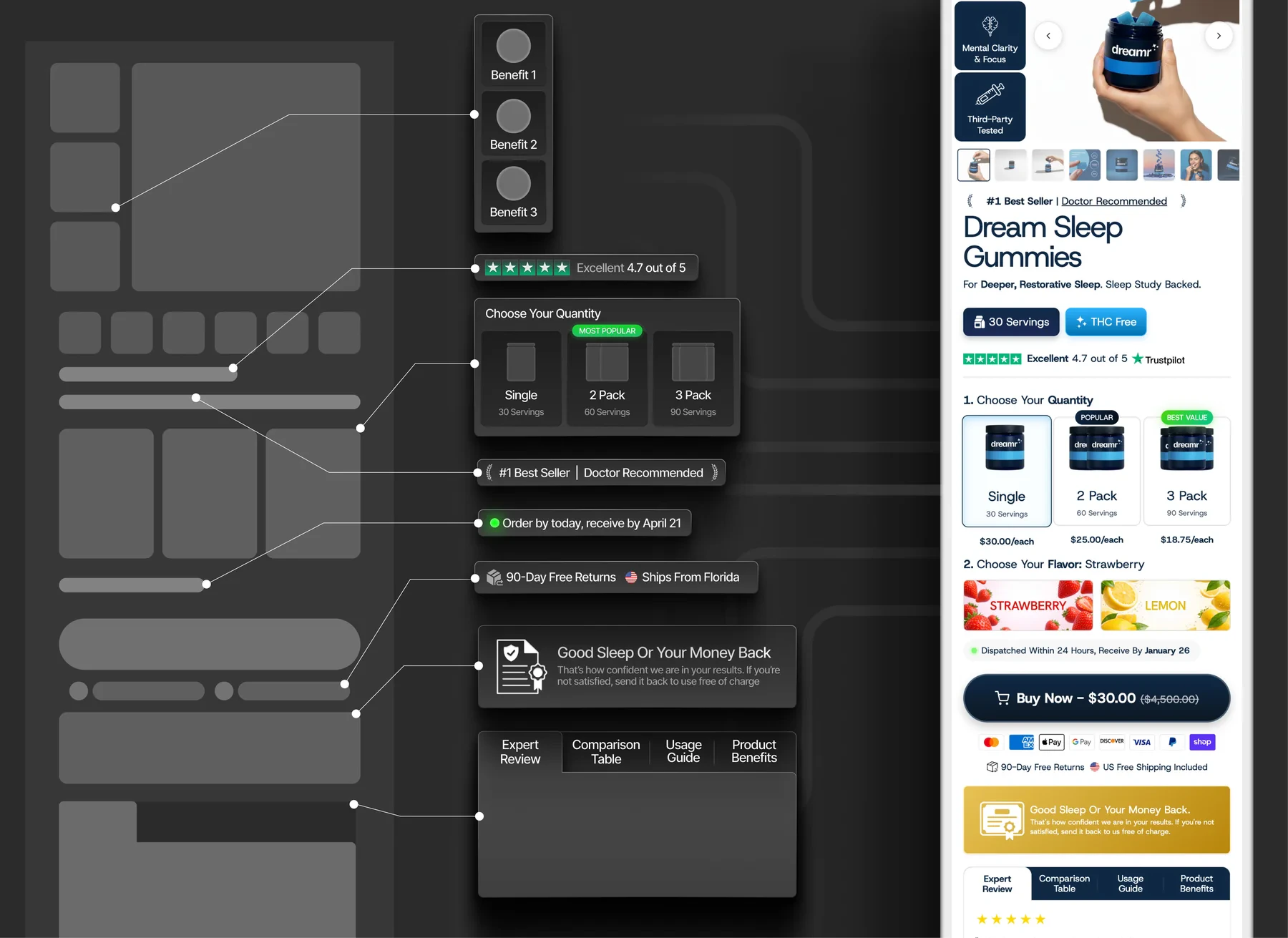
The product page is where conversions happen. Elixir gives you a modular product page built from **blocks** — you can add, remove, and reorder them from the theme editor.
 ## Product page blocks
Open your product page in the theme editor and click on the product section to see all available blocks:
| Block | What it does |
| ------------------ | ------------------------------------------------------------ |
| **Title** | Product name |
| **Price** | Current price with compare-at/sale styling |
| **Description** | Product description text |
| **Variant picker** | Size, color, or other variant selectors |
| **Buy buttons** | Add to cart and Buy Now buttons |
| **Rating** | Star rating display (e.g. "Excellent 4.7 out of 5") |
| **Product tabs** | Tabbed content — description, reviews, usage guide, benefits |
| **Product FAQ** | Accordion-style questions and answers |
| **Size chart** | Popup size guide |
## Conversion blocks
## Product page blocks
Open your product page in the theme editor and click on the product section to see all available blocks:
| Block | What it does |
| ------------------ | ------------------------------------------------------------ |
| **Title** | Product name |
| **Price** | Current price with compare-at/sale styling |
| **Description** | Product description text |
| **Variant picker** | Size, color, or other variant selectors |
| **Buy buttons** | Add to cart and Buy Now buttons |
| **Rating** | Star rating display (e.g. "Excellent 4.7 out of 5") |
| **Product tabs** | Tabbed content — description, reviews, usage guide, benefits |
| **Product FAQ** | Accordion-style questions and answers |
| **Size chart** | Popup size guide |
## Conversion blocks
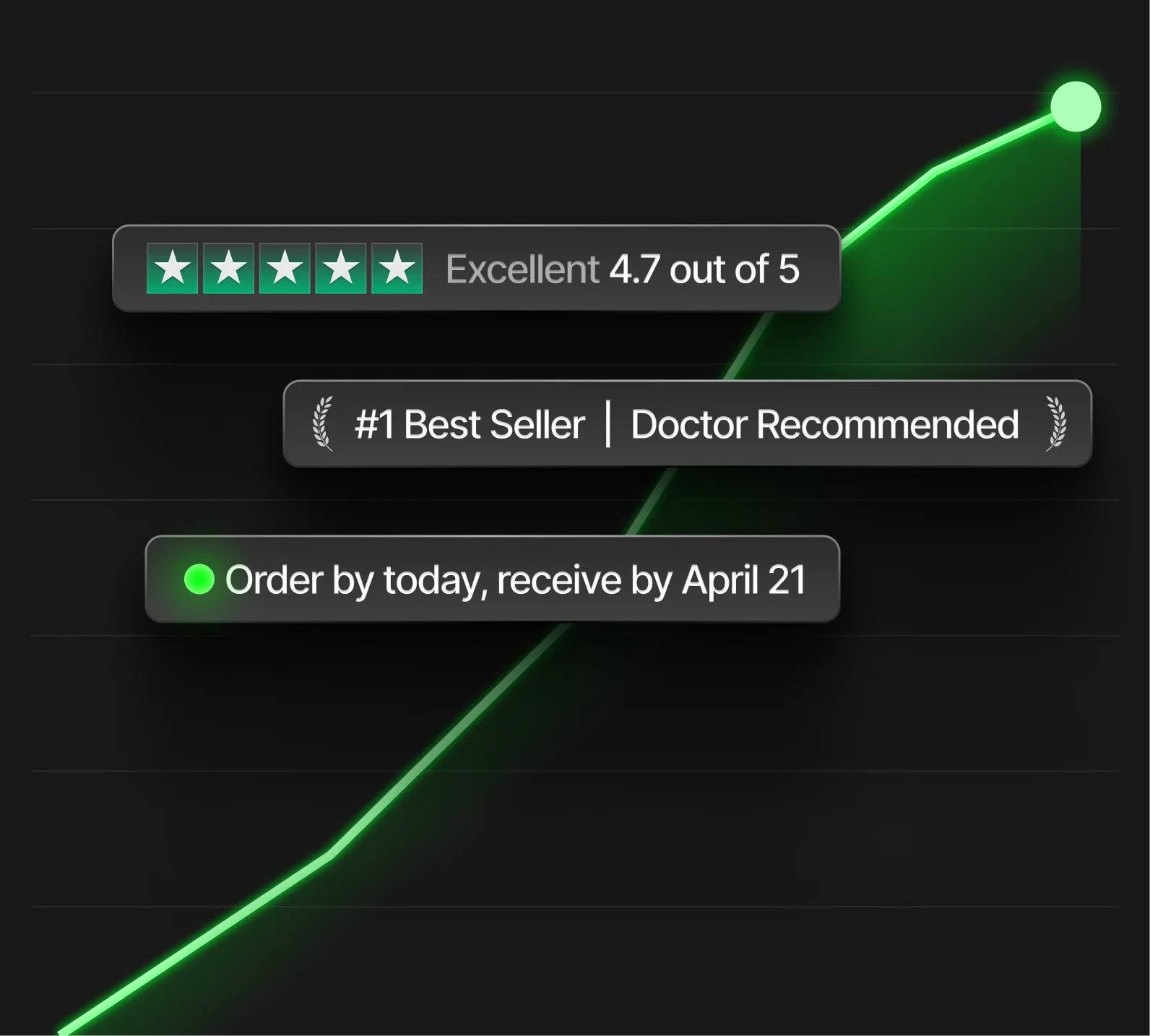 These blocks are designed to increase trust and urgency:
| Block | What it does |
| --------------------- | -------------------------------------------- |
| **Trust badges** | "#1 Best Seller", "Doctor Recommended", etc. |
| **Delivery estimate** | "Order by today, receive by April 21" |
| **Rating bar** | Trustpilot-style rating display |
| **Guarantee** | "Money-back guarantee" with icon |
| **Short benefits** | Quick feature callouts below the buy button |
## Offers and pricing
These blocks are designed to increase trust and urgency:
| Block | What it does |
| --------------------- | -------------------------------------------- |
| **Trust badges** | "#1 Best Seller", "Doctor Recommended", etc. |
| **Delivery estimate** | "Order by today, receive by April 21" |
| **Rating bar** | Trustpilot-style rating display |
| **Guarantee** | "Money-back guarantee" with icon |
| **Short benefits** | Quick feature callouts below the buy button |
## Offers and pricing
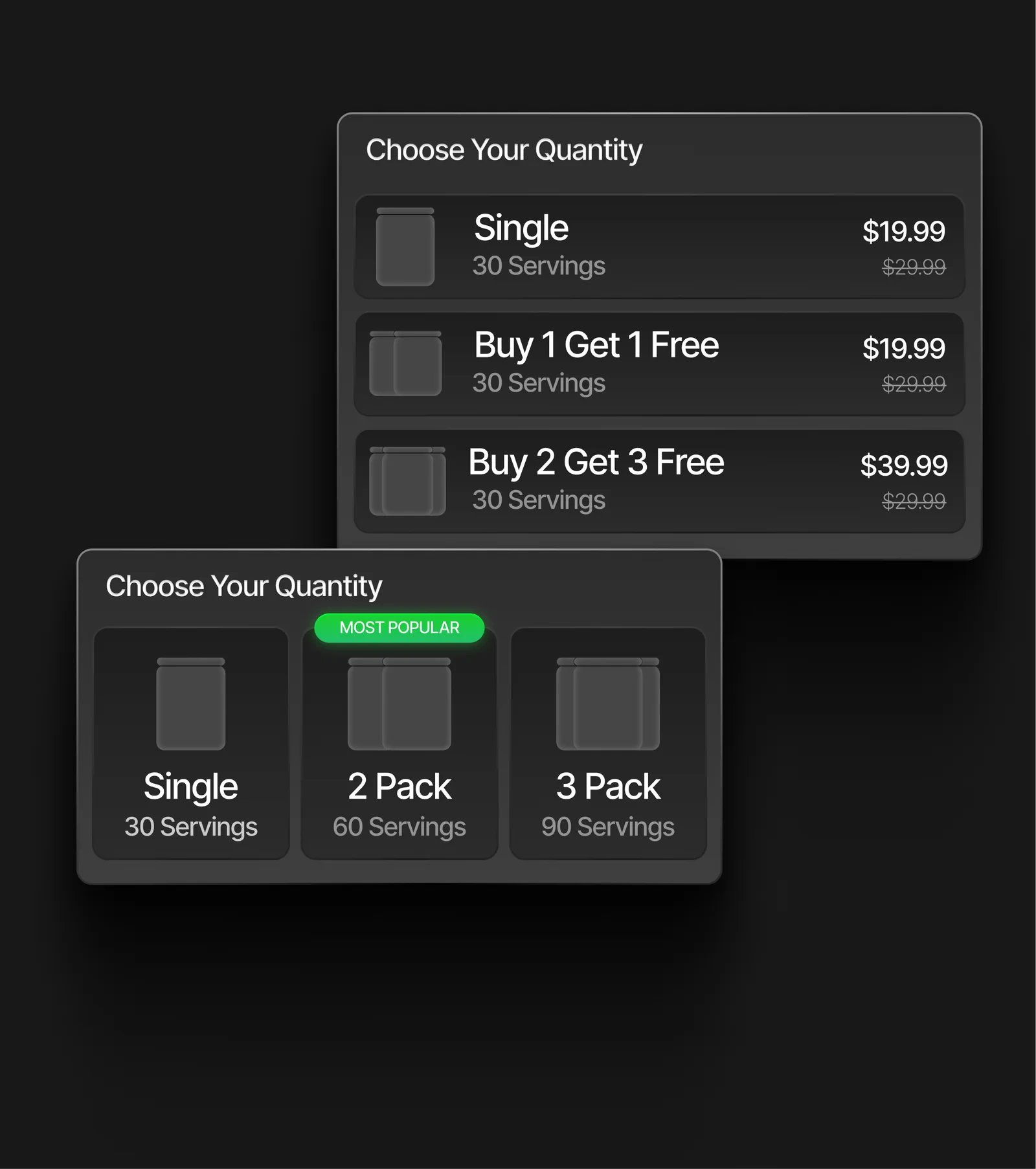 Elixir has built-in blocks for advanced pricing — no apps needed:
### Quantity breaks
Let customers choose between quantity tiers (e.g. "Single", "2 Pack", "3 Pack") with per-unit savings. Supports two layouts:
* **List view** — vertical list with prices and savings
* **Card view** — horizontal cards with "Most Popular" badge
### Bundle & Save
Create bundle offers where buying multiple products unlocks a discount. Shows savings per tier.
### Subscribe & Save
Add a subscription toggle to the product page with perks like "15% Off All Orders", "Free Shipping", and "Cancel Anytime".
## Product gallery
The media gallery supports:
* Multiple product images with thumbnail navigation
* Custom thumbnail styling (borders, active states)
* Arrow navigation with custom colors
* Video media
## Sticky add to cart
Add the **Sticky Add to Cart** section to show a fixed bar at the bottom of the screen as customers scroll past the main buy buttons. It shows the product title, price, variant selector, and add-to-cart button.
## Comparison table
Add a **Product Comparison** section below your product details to show a side-by-side comparison of your product vs competitors.
Elixir has built-in blocks for advanced pricing — no apps needed:
### Quantity breaks
Let customers choose between quantity tiers (e.g. "Single", "2 Pack", "3 Pack") with per-unit savings. Supports two layouts:
* **List view** — vertical list with prices and savings
* **Card view** — horizontal cards with "Most Popular" badge
### Bundle & Save
Create bundle offers where buying multiple products unlocks a discount. Shows savings per tier.
### Subscribe & Save
Add a subscription toggle to the product page with perks like "15% Off All Orders", "Free Shipping", and "Cancel Anytime".
## Product gallery
The media gallery supports:
* Multiple product images with thumbnail navigation
* Custom thumbnail styling (borders, active states)
* Arrow navigation with custom colors
* Video media
## Sticky add to cart
Add the **Sticky Add to Cart** section to show a fixed bar at the bottom of the screen as customers scroll past the main buy buttons. It shows the product title, price, variant selector, and add-to-cart button.
## Comparison table
Add a **Product Comparison** section below your product details to show a side-by-side comparison of your product vs competitors.