> ## Documentation Index
> Fetch the complete documentation index at: https://testdocs.ecomelixir.com/llms.txt
> Use this file to discover all available pages before exploring further.
# Welcome to Elixir
> The premium Shopify theme built for conversion
Elixir is a premium Shopify theme designed to help you build high-converting storefronts — no code or developers needed. Everything is customizable directly from the Shopify theme editor.
Hero banners, reviews, comparisons, testimonials, countdowns, and more.
Quantity breaks, trust badges, ratings, countdown timers, and more.
Ready-made product page designs you can install in one click.
> Recommended setup time: 20–30 minutes
>
> New to Elixir? Follow the guides below in order for the smoothest setup experience.
## Get started
Upload Elixir to your Shopify store and activate your license key.
[Installation guide →](/installation)
Set up your colors, fonts, and button styles to match your brand.
[Branding guide →](/guides/branding)
Configure your logo, navigation, announcement bar, and sticky header.
[Header guide →](/guides/header)
Add sections to create a high-converting homepage.
[Homepage guide →](/guides/homepage)
Configure your product page with the right blocks, offers, and social proof.
[Product page guide →](/guides/product-page)
Add upsells, discount codes, free gift thresholds, and urgency timers to your cart.
[Cart guide →](/guides/cart)
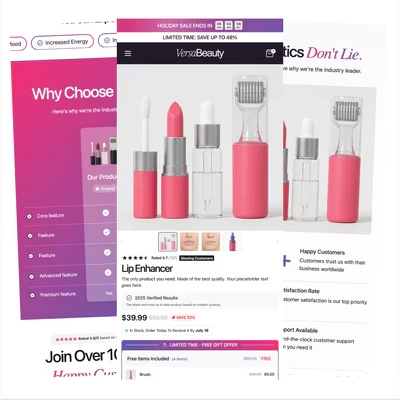
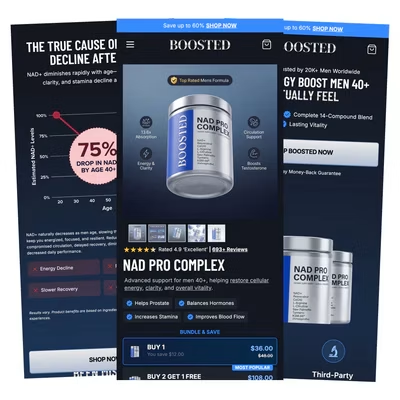
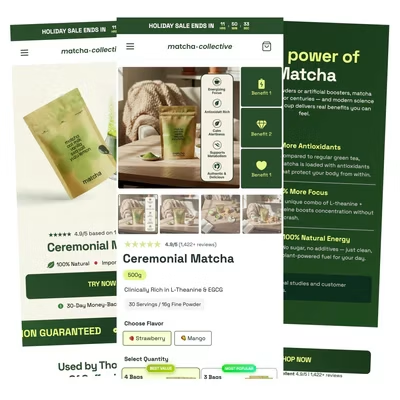
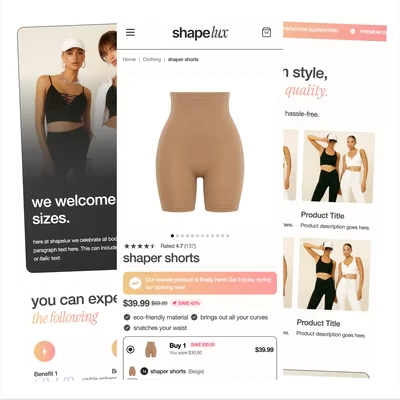
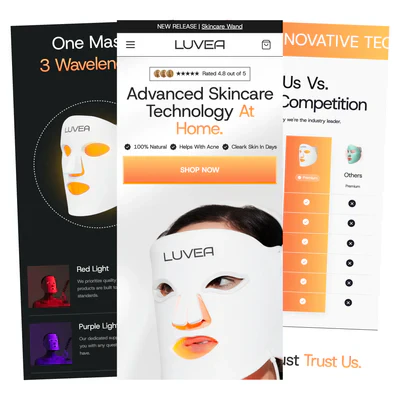
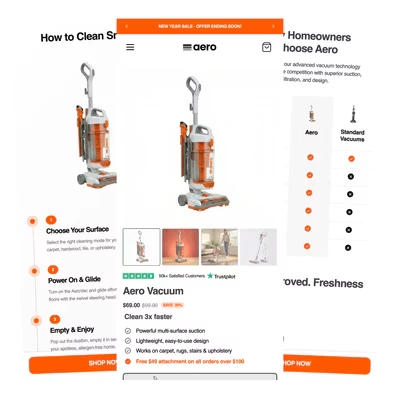
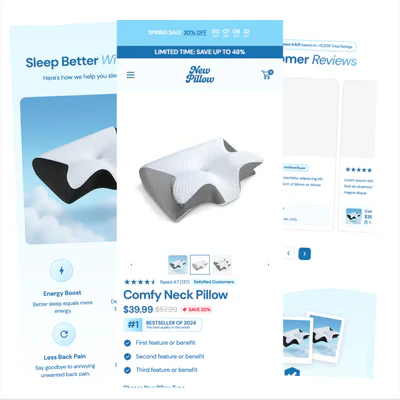
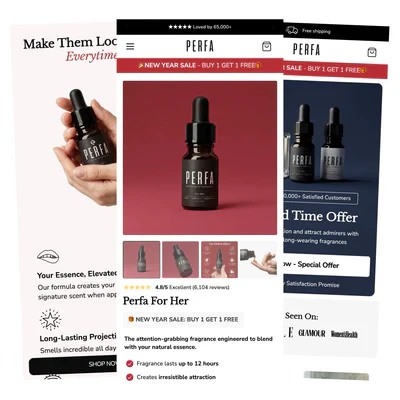
## See Elixir in action
Explore stores built with Elixir across different industries and product categories. Use these examples for inspiration when designing your own store.

 ## Next steps
Once you've completed the initial setup, explore our advanced guides to get the most out of Elixir.
## Recommended guides
* Conversion optimization best practices
* Landing page design strategies
* Product page optimization
* Advanced theme customization
* Performance and page speed improvements
* Theme updates and license management
## Need help?
If you can't find what you're looking for, we're here to help.
Before contacting support, we recommend checking the documentation guides above, as many common questions are covered in detail.
Still need assistance?
* Browse the full documentation
* Contact support
* Report a bug or issue
* Request a feature or improvement
We're continuously improving Elixir with new sections, conversion-focused features, customization options, and performance enhancements to help you grow your store.
## Next steps
Once you've completed the initial setup, explore our advanced guides to get the most out of Elixir.
## Recommended guides
* Conversion optimization best practices
* Landing page design strategies
* Product page optimization
* Advanced theme customization
* Performance and page speed improvements
* Theme updates and license management
## Need help?
If you can't find what you're looking for, we're here to help.
Before contacting support, we recommend checking the documentation guides above, as many common questions are covered in detail.
Still need assistance?
* Browse the full documentation
* Contact support
* Report a bug or issue
* Request a feature or improvement
We're continuously improving Elixir with new sections, conversion-focused features, customization options, and performance enhancements to help you grow your store.