Documentation Index
Fetch the complete documentation index at: https://testdocs.ecomelixir.com/llms.txt
Use this file to discover all available pages before exploring further.

Cart features
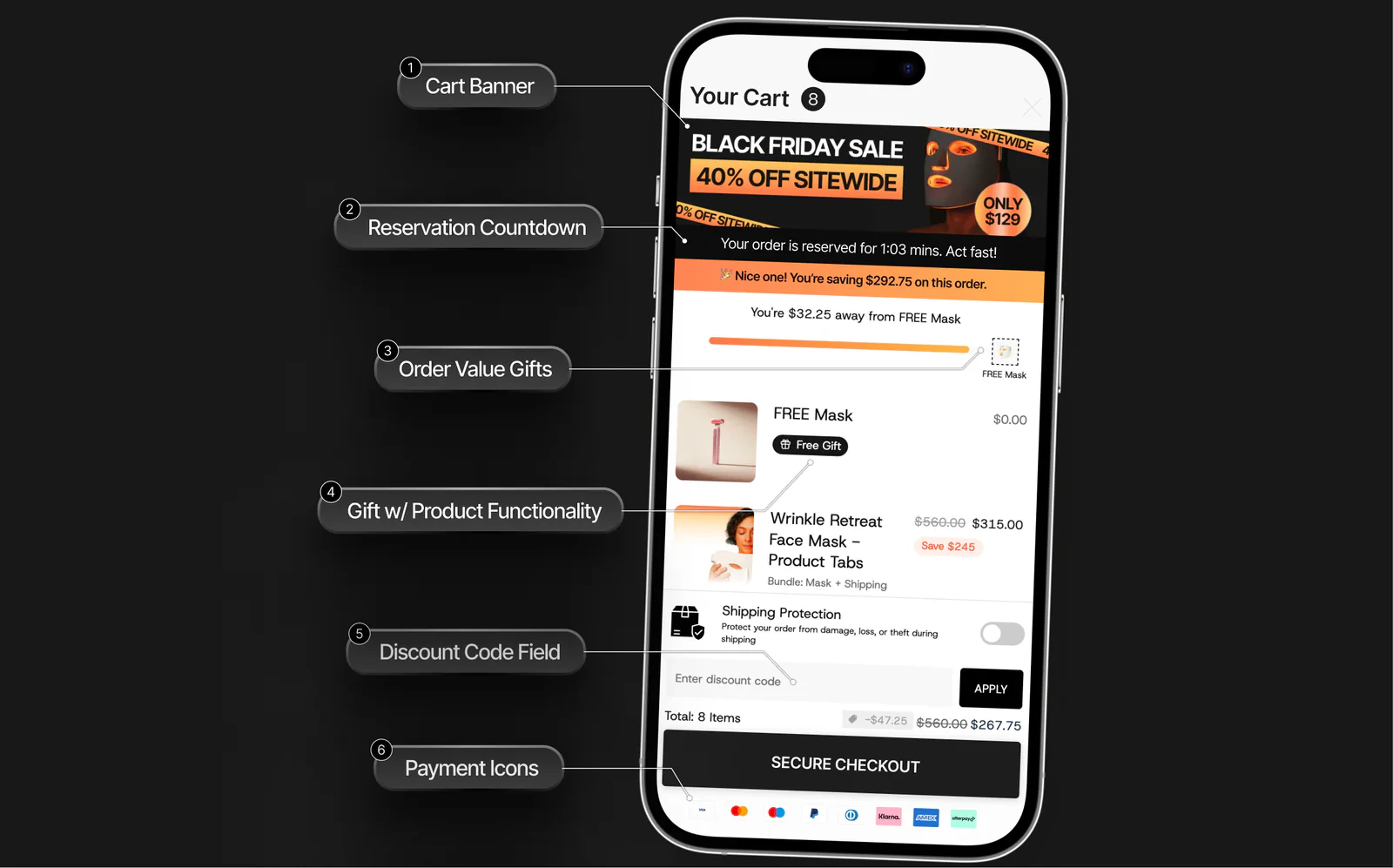
1. Cart banner
A promotional banner at the top of the cart. Use it for sale announcements, free shipping offers, or seasonal promotions.2. Reservation countdown
Shows a message like “Your order is reserved for 1:03 mins. Act fast!” — creates urgency and reduces cart abandonment.3. Order value gifts (progress bar)
Set a spending threshold (e.g. “You’re $32.25 away from a FREE Mask”). Displays a visual progress bar that fills as the customer adds items. When they hit the target, the free gift is automatically added.4. Gift with product
Automatically include a free gift item in the cart when certain conditions are met. Shows as a line item with a “Free Gift” badge.5. Discount code field
Customers can enter and apply discount codes directly in the cart — no need to wait until checkout.6. Payment icons
Shows accepted payment methods (Visa, Mastercard, Apple Pay, Klarna, etc.) above the checkout button to build trust.Additional features
| Feature | What it does |
|---|---|
| Cart upsells | Recommend products inside the cart drawer |
| Shipping protection | Toggle for customers to add shipping protection |
| Savings summary | Shows total savings (e.g. “You’re saving $292.75 on this order”) |
| Secure checkout button | Prominent CTA with total price |