
Before you begin
Make sure you have:- Access to your Shopify admin
- Access to the email used when purchasing Elixir
- Your Elixir license key
- Permission to create a Shopify custom app
Step 1: Log in to the Elixir Dashboard
Visit the Elixir dashboard and sign in using the same email address used when purchasing your theme license. Once logged in, you’ll have access to:- Theme downloads
- License management
- Theme updates
Step 2: Download the Theme
Navigate to Premade Templates within the dashboard. Download the theme ZIP file you would like to install.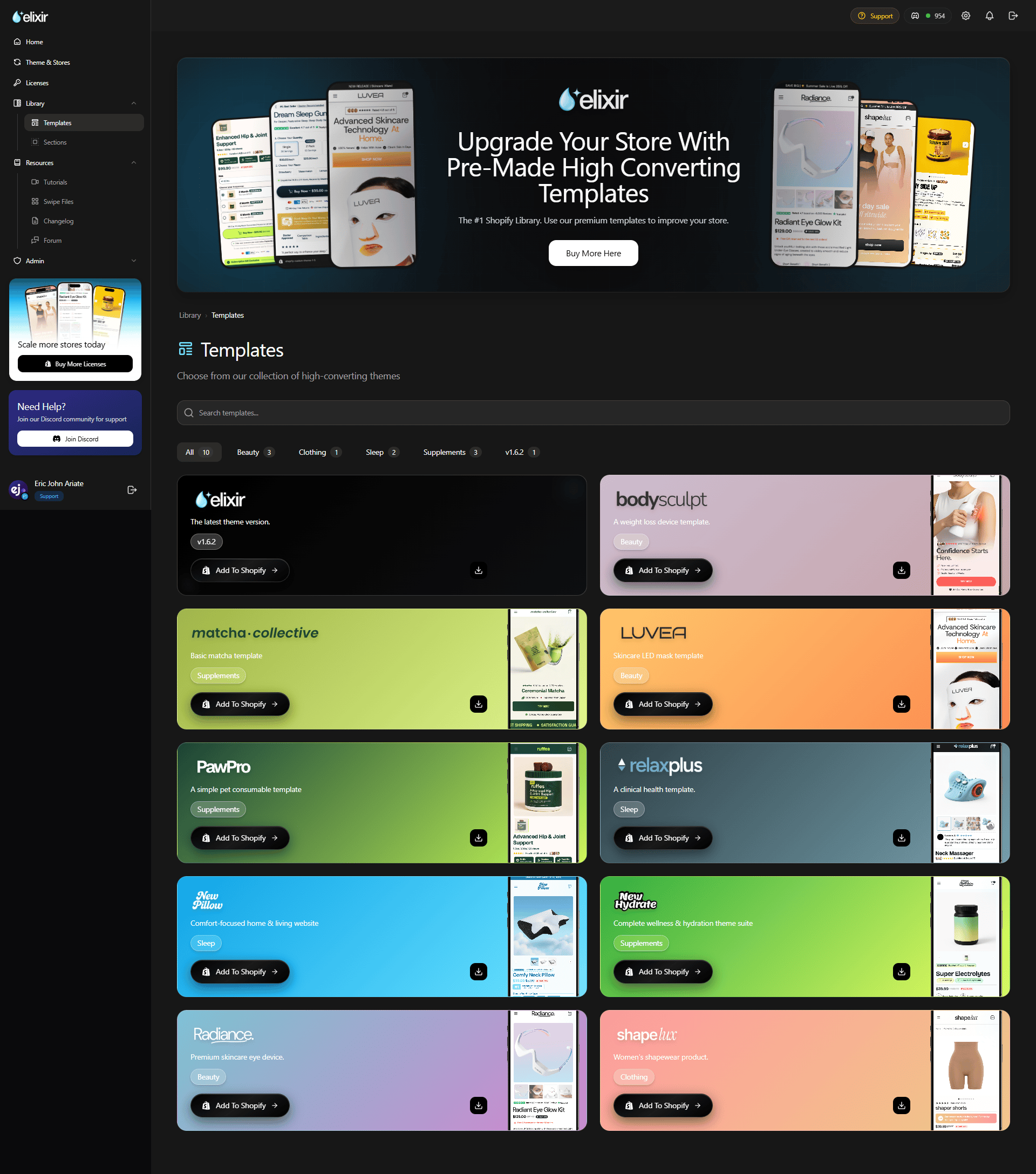
Step 3: Upload the Theme to Shopify
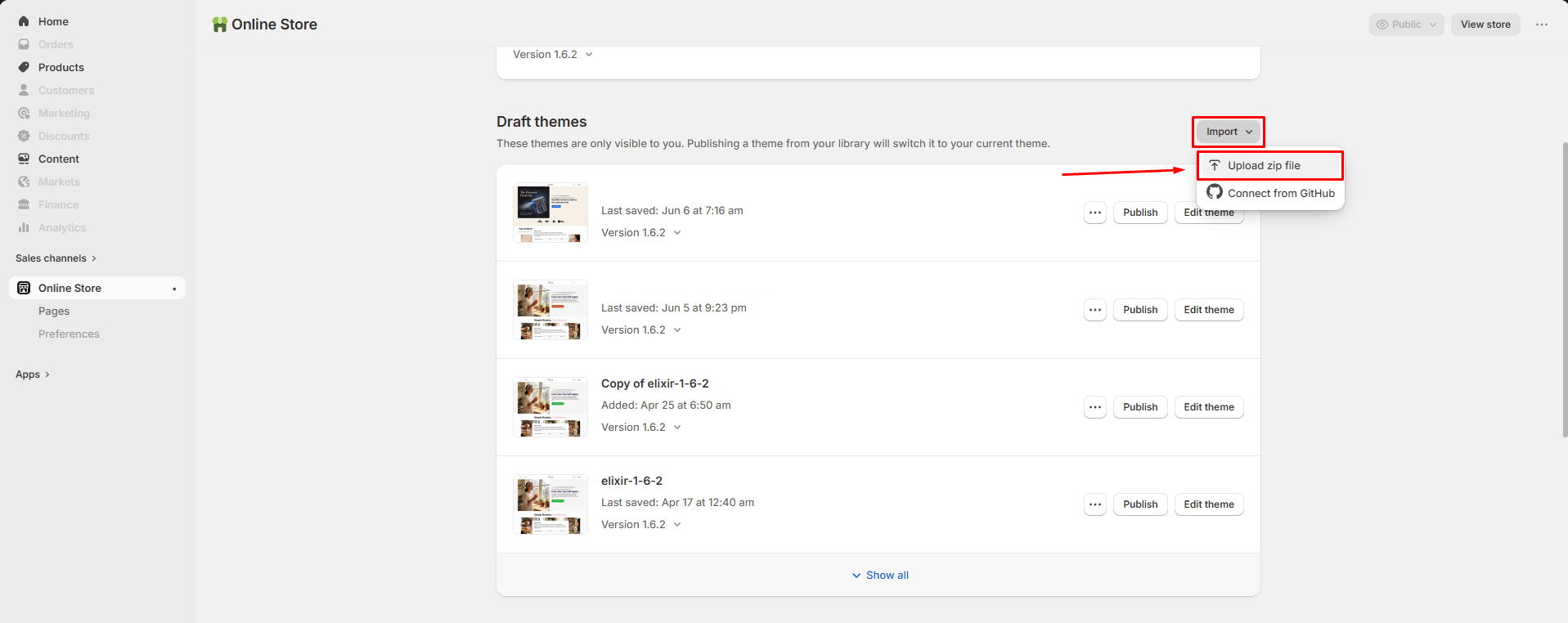
In your Shopify Admin:- Go to Online Store → Themes
- Click Add Theme
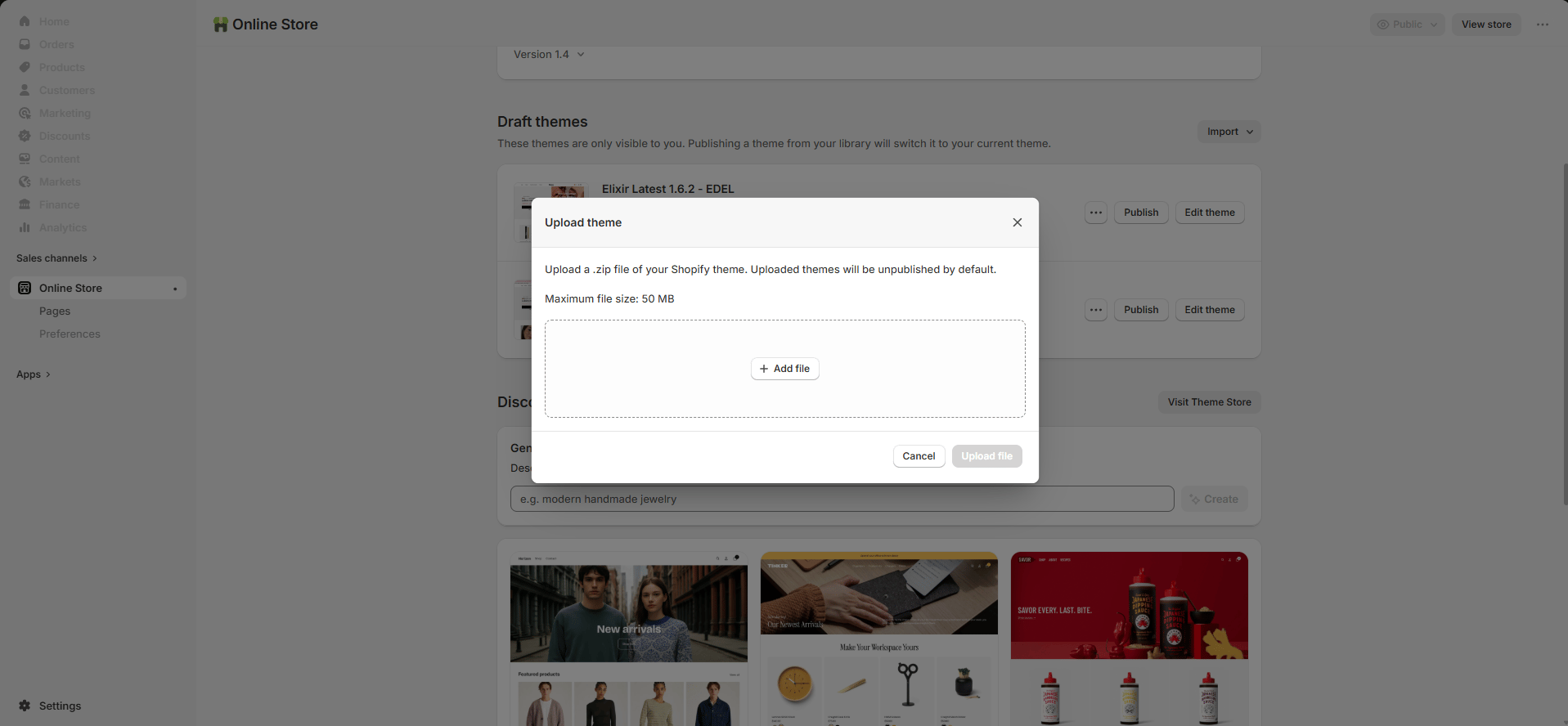
- Select Upload ZIP File
- Choose the Elixir theme ZIP file
- Wait for Shopify to finish uploading
Step 4: Find Your License Key
Return to the Elixir dashboard and open the Licenses page. Locate the license assigned to your store and copy the license key.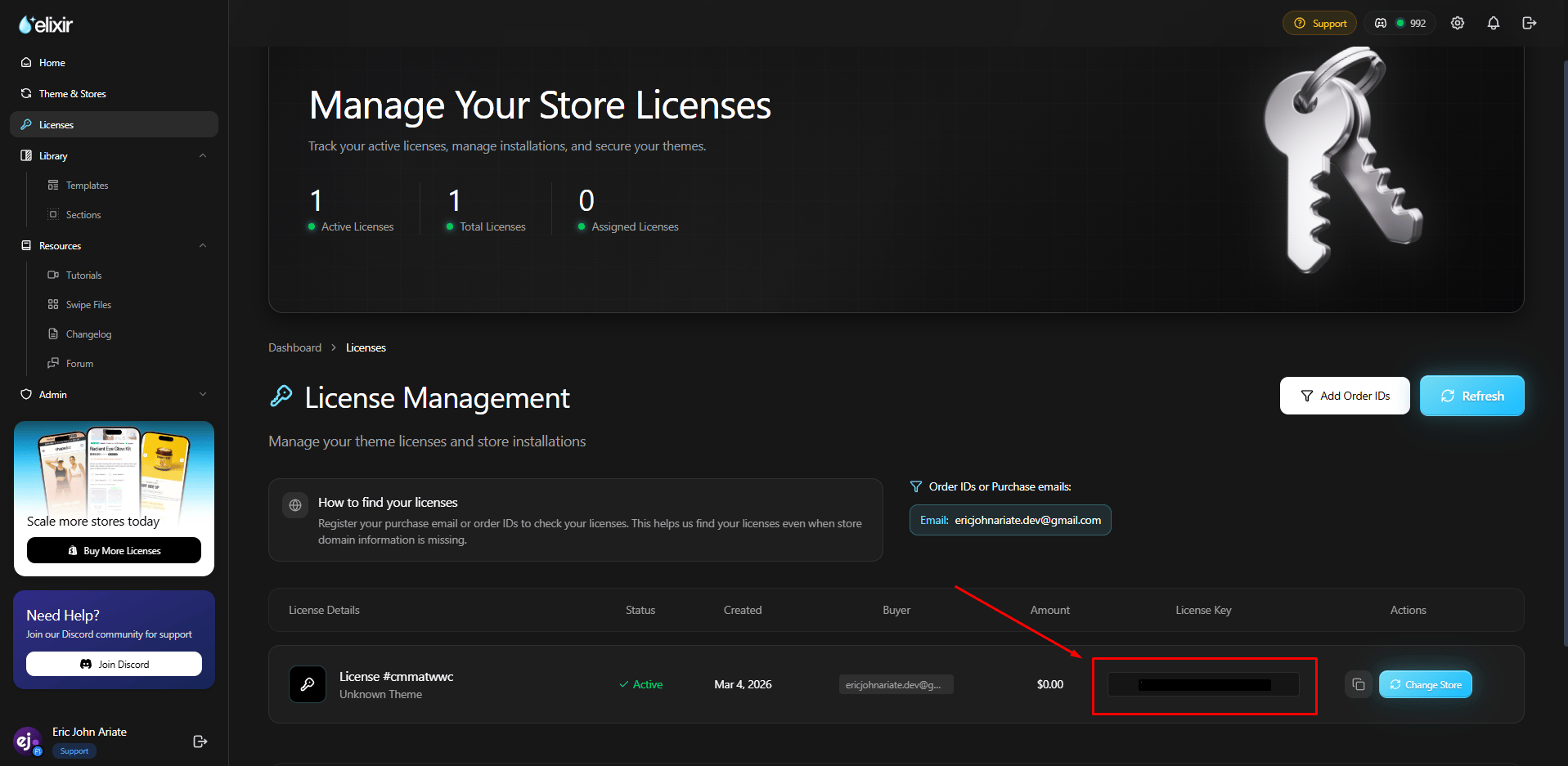
Step 5: Activate Your License
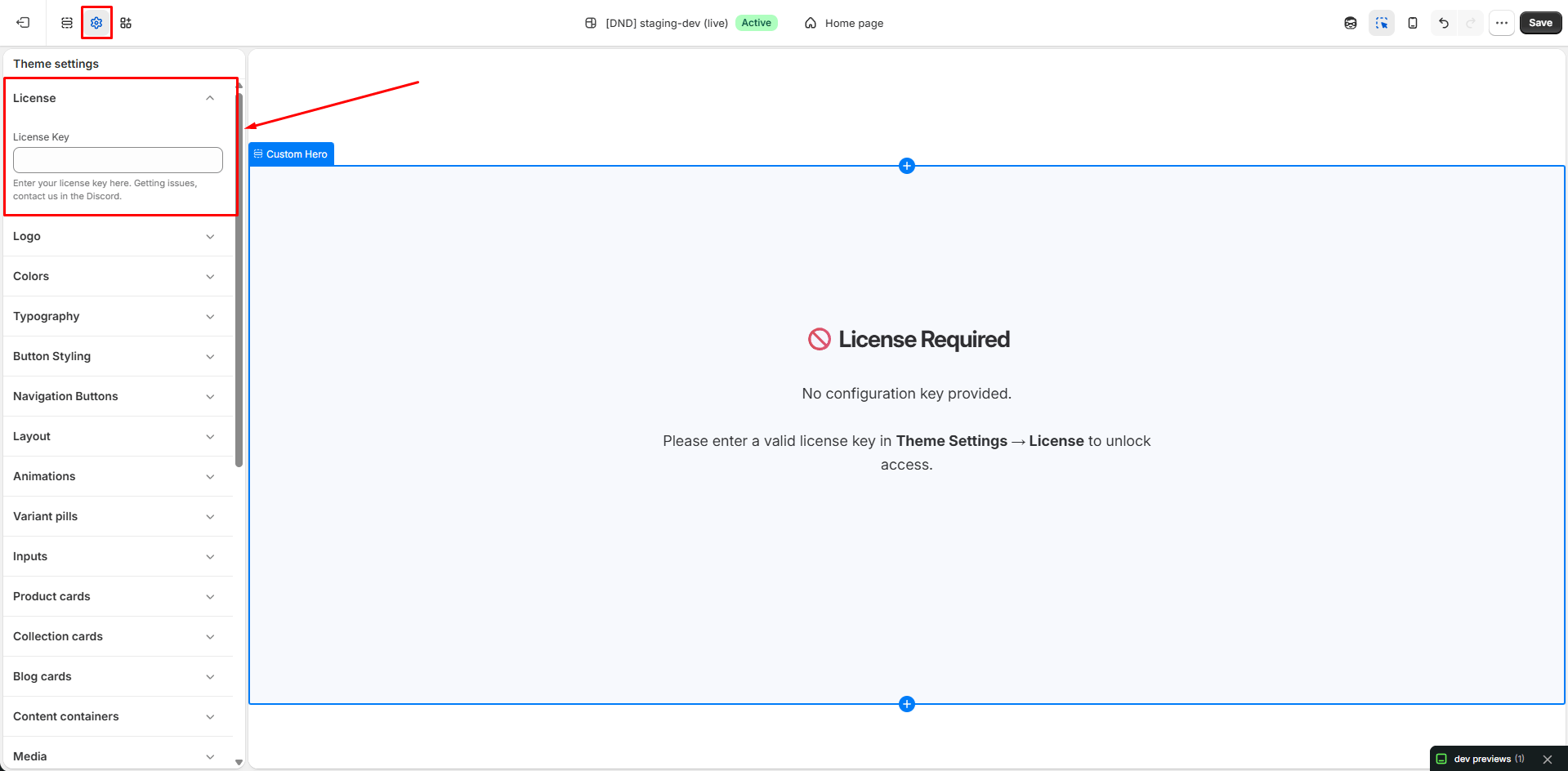
In Shopify:- Open the Theme Editor
- Navigate to Theme Settings
- Open the License section
- Paste your license key
- Save your changes
Enable Theme Updates
To receive future Elixir updates, you’ll need to connect your Shopify store to the Elixir update system.Step 6: Create a Shopify Custom App
Create a Shopify custom app following our video tutorial: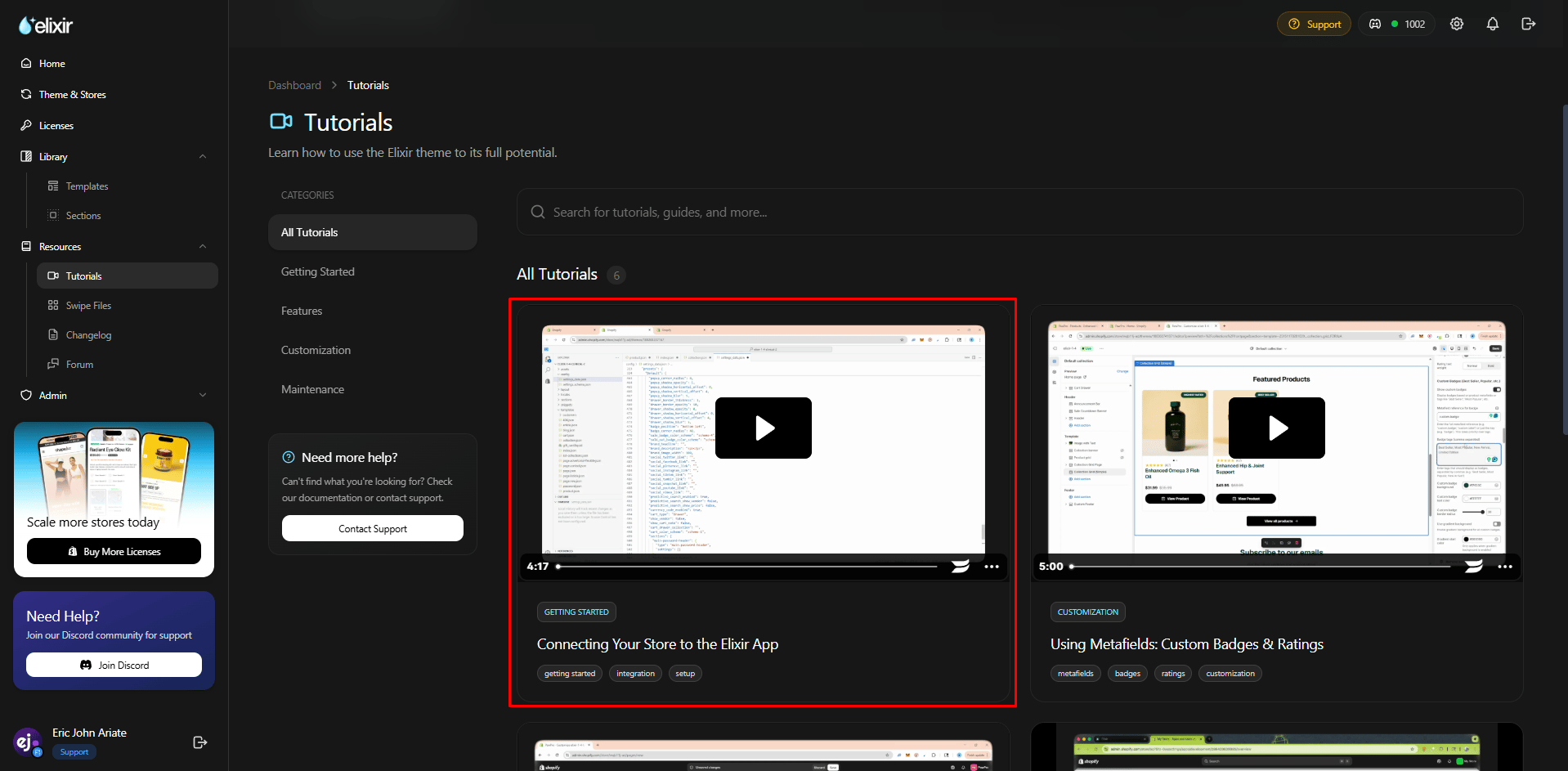
- Creating the custom app
- Generating API credentials
- Installing the app
- Retrieving your credentials
- Client ID
- Client Secret
- Shopify store domain
Step 7: Connect Your Store
Open the Theme Updates page: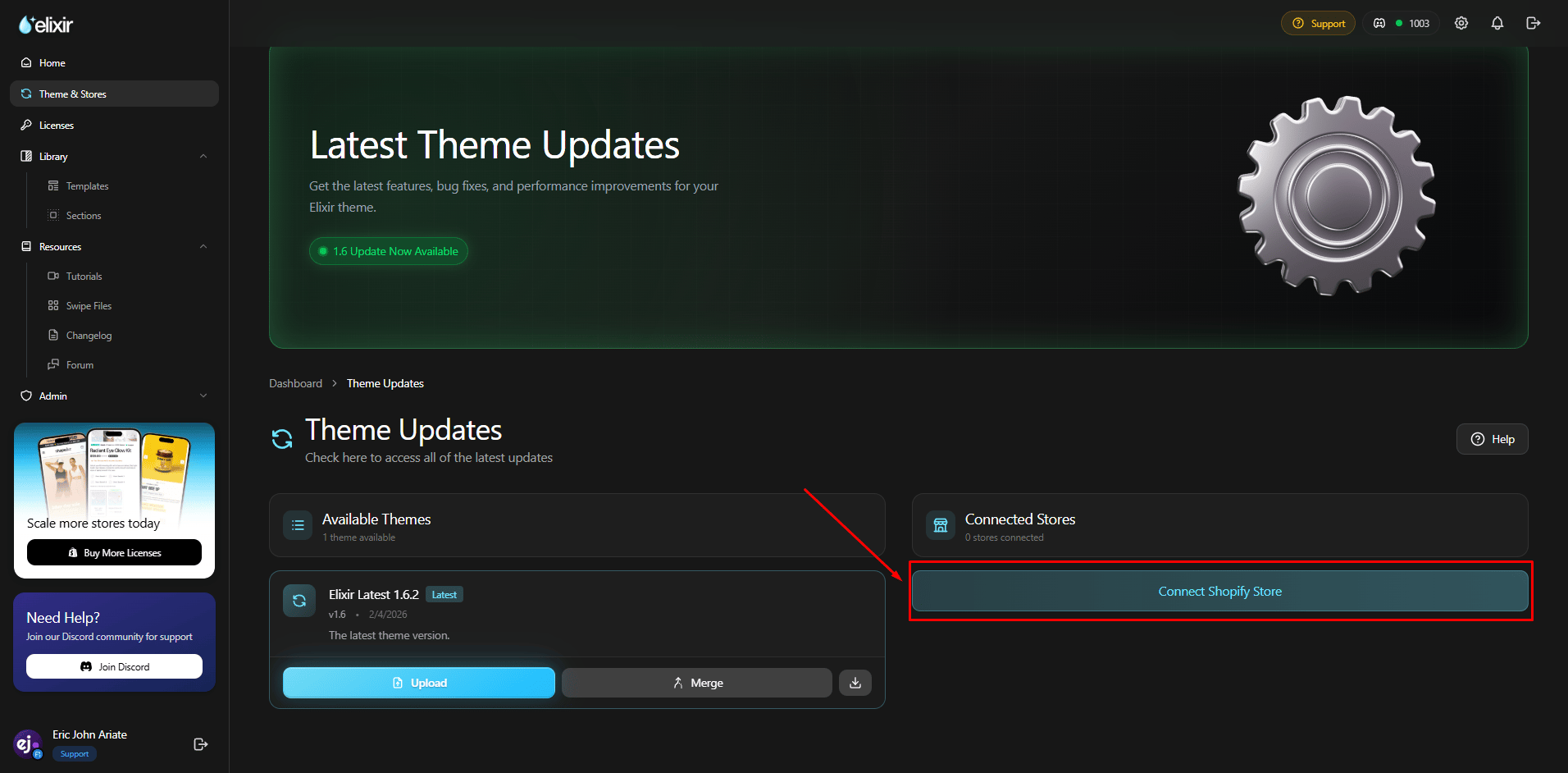
- Client ID
- Client Secret
- Shopify Store Domain
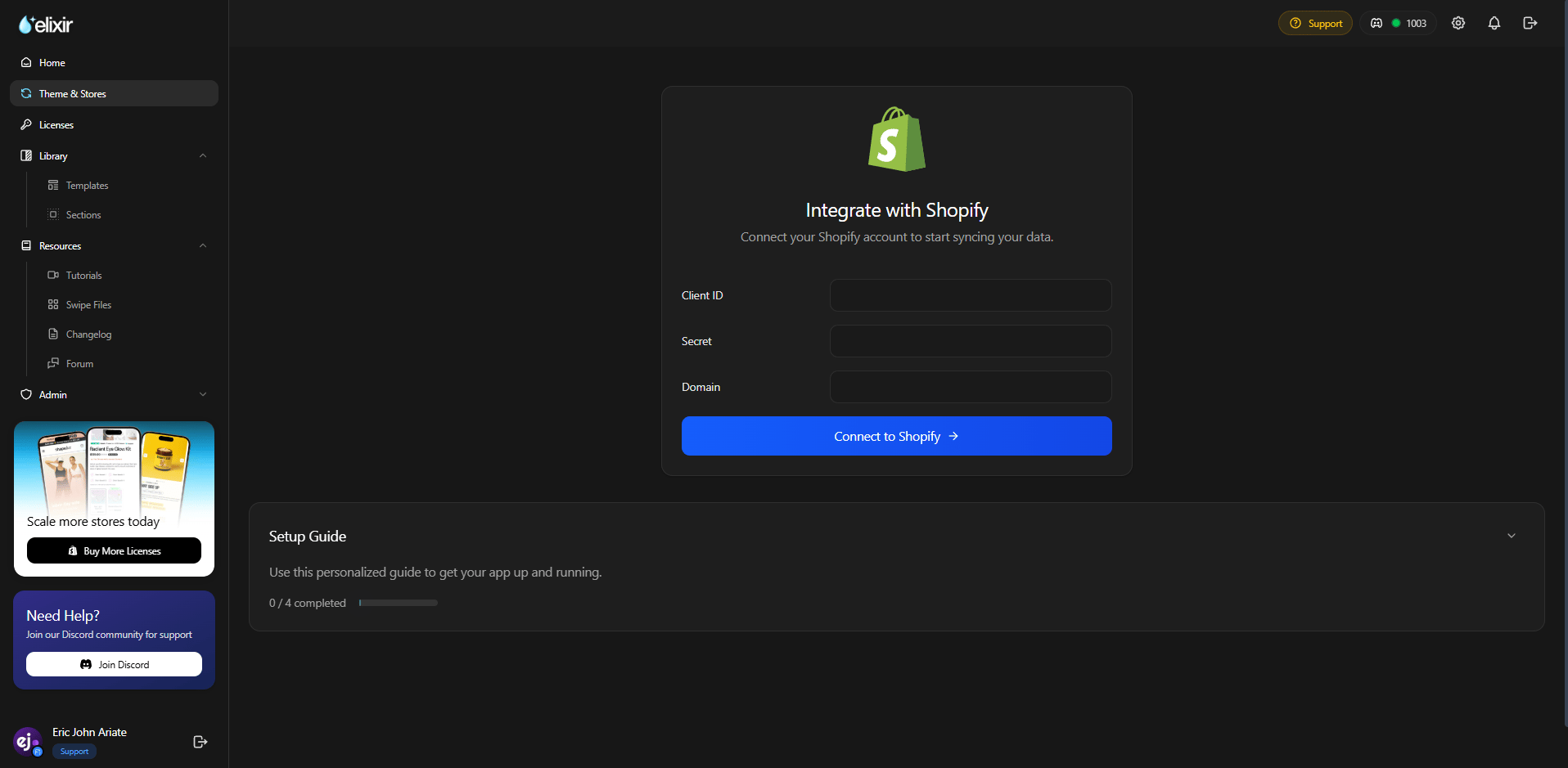
Step 8: Verify the Connection
After submitting your details, the dashboard should show your store as connected. Once connected, you’ll be able to receive future Elixir theme updates directly through the update system.Troubleshooting
I can’t find my license key
Make sure you’re logged into the dashboard using the same email address used during checkout.My license won’t activate
- Double-check for extra spaces when copying the key
- Ensure the license belongs to the correct store
- Contact support if the issue persists
Store connection failed
Verify that:- Client ID is correct
- Client Secret is correct
- You’re using the .myshopify.com domain
- The custom app has been installed successfully